RangeeOS - Booting from USB stick not possible
Depending on the BIOS configuration, it may happen that booting from a USB stick is not directly possible. Below you will find a list of possible causes and, if applicable, required settings. The list is sorted from "common" to "less common".
All settings require that you have access to the device BIOS. The BIOS of most devices can be accessed by repeatedly pressing the corresponding BIOS key during startup. Common BIOS keys are, for example: ESC, DEL, F2 or F12.
Boot Order
First, make sure that the BIOS is actually attempting to boot from your USB stick. In most cases, there is both an option to permanently enable USB sticks as the primary boot medium and often an option for a one-time boot from another medium. The selection of a one-time boot medium is also often enabled via a separate key during startup, for example: F8, ESC, or a similar key.
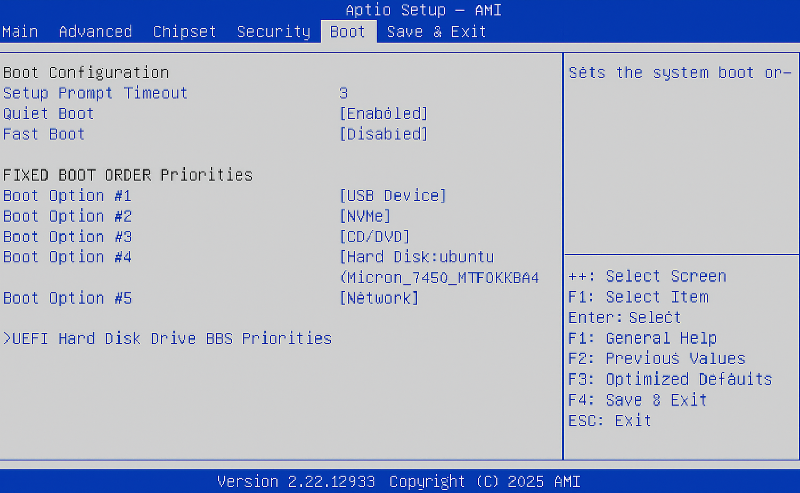
Permanent boot setting
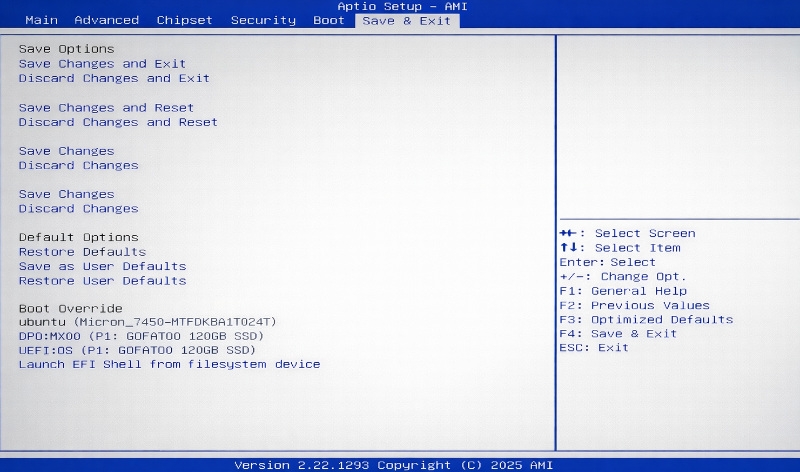
Temporary boot setting
Secure Boot enabled
To boot the RangeeOS installation, Secure Boot must be disabled in the BIOS. If the use of Secure Boot is desired, it can be re-enabled after installation. However, during installation our MOK key must be deployed as well.
Further information on enabling Secure Boot can be found in our how-to RangeeOS - Deploy MOK for SecureBoot.
The option to disable Secure Boot is usually found under the Advanced or Security menu item.
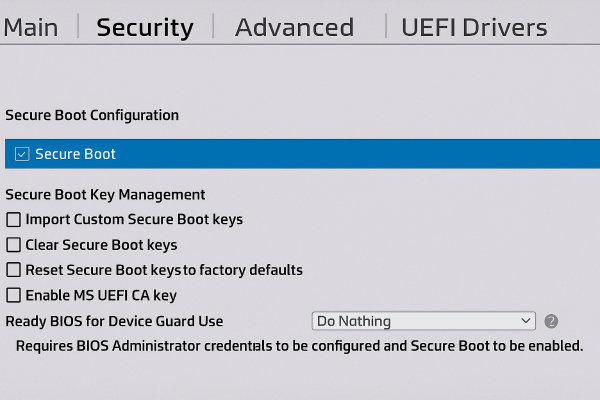
Secure Boot Option in HP BIOS
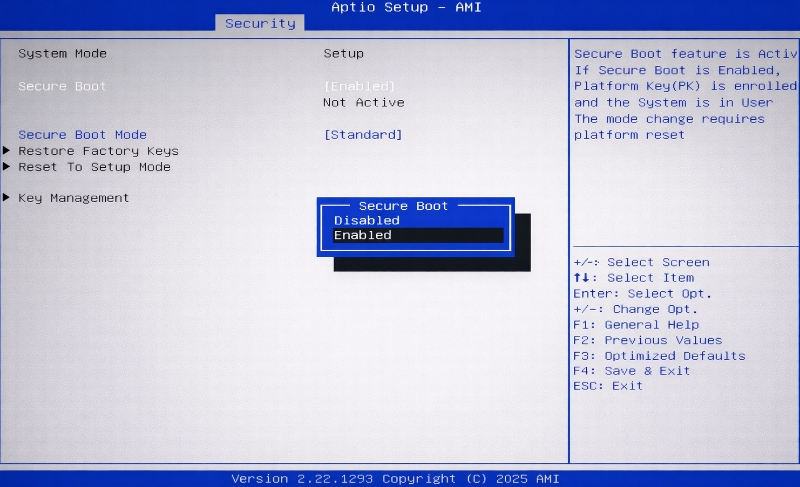
Secure Boot Option in Aptio BIOS
HP Wolf Security
Business models from HP are equipped with an additional technology designed to prevent booting from unauthorized media. On the relevant devices, the option Sure Start Secure Boot Keys Protection must be disabled in the BIOS.
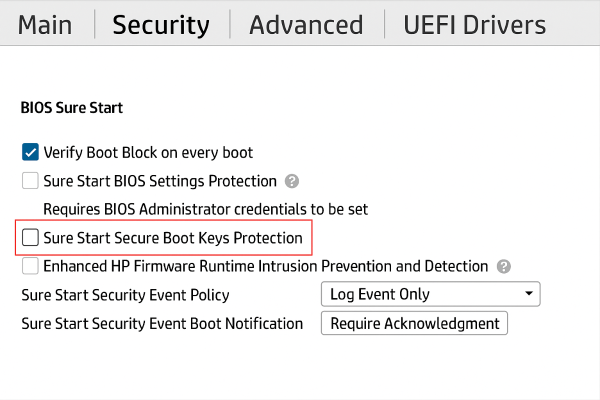
HP - Wolf Security Boot Protection
Other options
In rarer cases, it may be necessary to disable the following options in the BIOS:
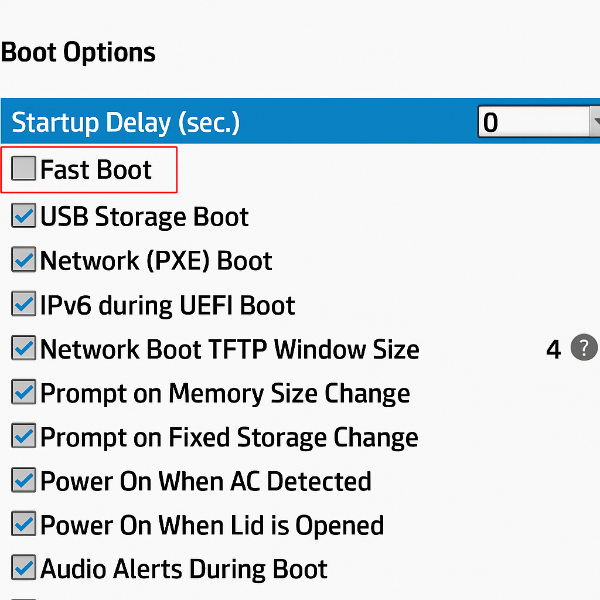
- Fast Boot
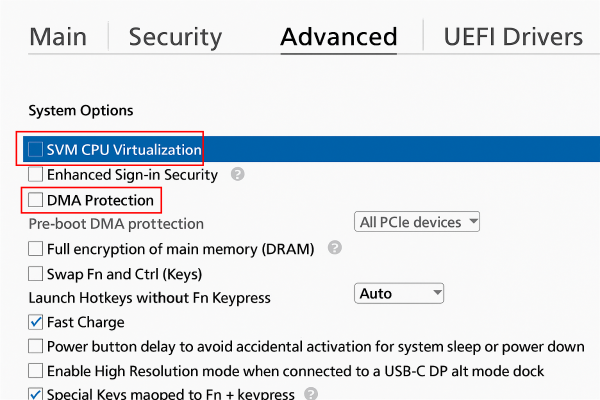
- SVM CPU Virtualization
- DMA Protection