

RangeeOS - Dateien verteilen / Dateien auf Desktop oder im Startmenü anzeigen
In manchen Situationen kann es erforderlich sein, dem Nutzer beispielsweise ein Anleitungs- oder Hilfsdokument auf dem Desktop anzeigen zu lassen. Mit dem Softwaremodul shared-file haben Sie die Möglichkeit, beliebige Dateien auf Geräte zu verteilen und diese über den Desktop oder das Startmenü verfügbar zu machen.
Installation
Installieren Sie das Modul wie im Howto RangeeOS - Software Aktualisierung beschrieben.
Datei verteilen
Legen Sie nach der Installation über Verbindungen & Anwendungen -> Geteilte Datei eine Neue Verbindung an.
Vergeben Sie einen Verbindungsnamen (Anzeigename auf Desktop/Startmenü) und wählen Sie die zu verteilende Datei aus. Die übrigen Optionen entsprechen den Standardoptionen in den meisten Softwaremodulen.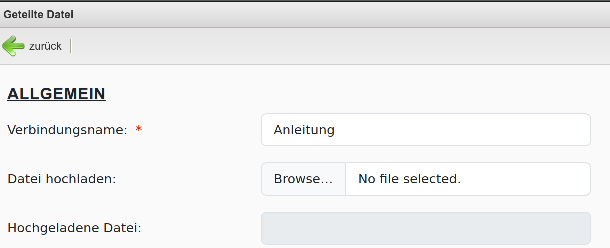
Nach dem Übernehmen der Einstellungen wird ein entsprechendes Icon sofort auf dem Desktop bzw. im Startmenü angezeigt.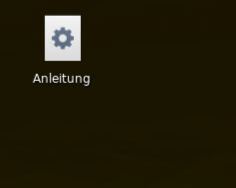
Datei öffnen
Damit die Datei korrekt angezeigt werden kann, muss ein entsprechendes Programm auf dem Client installiert sein. Hierfür kommen beispielsweise folgende Softwaremodule in Frage:
| Dateityp | Softwaremodule | ||
|---|---|---|---|
| *.txt | system-texteditor | ||
| *.pdf, *.html, *.htm | chromium, firefox | ||
| *.doc, *.docx, *.ppt, *.pptx | onlyoffice, libreoffice |